Verdict
The charting layer for most of retail finance, crypto included. The free tier is genuinely usable, the paid tiers remove restrictions rather than unlocking magic, and the scripting language has an enormous public library behind it.
- Best for
- Charting and technical analysis across every market
- Cost
- Free tier; paid plans ~$15–$60/month
What works
- Free tier is fully functional for anyone with one chart and a few indicators
- Pine Script and a huge public indicator library are included at every tier
- Crypto, equities, FX and futures data in one workspace with one set of tools
- Alerts are reliable and fire server-side rather than needing a tab open
What does not
- Free tier carries ads and caps indicators and saved layouts
- Exchange data quality varies and thin-venue candles can be misleading
- The social ideas feed is a firehose of low-quality directional calls
- Real-time data for some venues costs extra on top of the subscription
Open the chart on almost any exchange in this library and you are looking at TradingView. The company won the charting layer of retail finance so thoroughly that its competitors mostly license it rather than build one, which means a review of TradingView is also, indirectly, a review of the charting on a dozen other products.
That degree of dominance could easily have produced a complacent product. It has not, and that is the main finding here.
The free tier is the story
You get real charts, a large built-in indicator set, the full drawing toolkit, multiple timeframes, server-side alerts and access to the public script library. The restrictions are quantitative — a limited number of indicators per chart, one saved layout, ads in the interface — rather than functional.
For a retail trader looking at two or three assets with a handful of indicators, the free tier is not a demo that nags you into upgrading. It is the product, and it is better than most paid charting software from a decade ago.
When paying is worth it
Plans run from roughly $15 to $60 a month depending on tier and billing period, with higher tiers for professional and multi-monitor use.
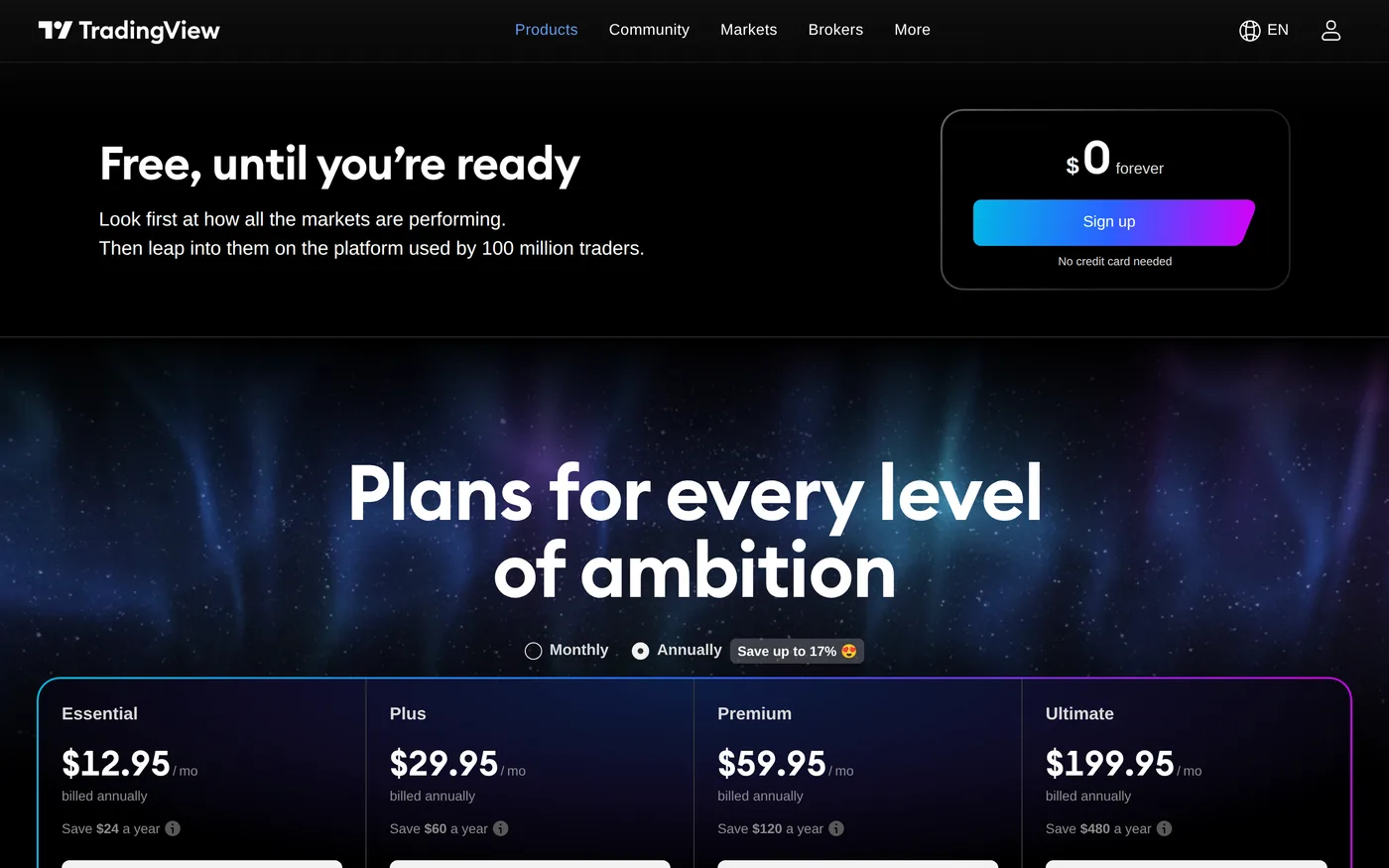
More indicators on a single chart, which matters if your setup is genuinely multi-factor rather than decorative.
Multiple saved layouts, which matters if you track several unrelated markets.
More concurrent alerts, which is the most common honest reason people upgrade.
No ads, and second-based intervals at the higher tiers.
None of it makes you a better trader. If you are upgrading because a paid tier feels more serious, you are buying a feeling rather than a capability.
Pine Script
The scripting language is available on every tier, including free. You can write an indicator, backtest a strategy, publish it and read other people's. The public library runs to tens of thousands of community scripts, most of which are open source.
The quality distribution is what you would expect from an open library: a small number of excellent tools, a large number of repainting indicators that look extraordinary in backtest because they are quietly using data from the future. Read the source before trusting any script that claims an implausible hit rate — and on TradingView you usually can.
A published backtest with a 90% win rate is not a finding. It is usually an indicator that can see the next candle.
Crypto data quality
Data is sourced per exchange, and the exchange you choose changes the chart. A candle on a thin venue can show a wick that never existed anywhere else, and on illiquid pairs the difference between venues is large enough to invalidate a level you drew carefully.
Pick a reference venue with real depth for each asset and stay on it. Comparing a level drawn on one exchange against price action on another is a common and expensive mistake, and the interface does nothing to warn you about it.
Alerts
Alerts fire server-side, which means they work with the browser closed and the laptop shut. That sounds mundane and it is the single most practically useful feature in the product — it is the difference between a plan you execute and a plan you miss because you were asleep.
The social layer
Published ideas and the comment streams are the weakest part of the platform: an endless feed of directional calls with no accountability and a reputation system biased towards survivors. It is optional, and it should be optional in your workflow too.

Verdict
Broker integration
TradingView connects to a number of brokers and exchanges, letting you place orders from the chart. Where the integration exists it works well, and for a discretionary trader who makes decisions visually it removes a real source of error — the gap between the level you drew and the number you typed into another window.
Crypto coverage here is patchier than equities. Check whether your venue is supported before building a workflow that depends on it, and be aware that the integration is a convenience layer rather than an execution improvement: your order still goes to the same book at the same price.
What it is not
It is not a data provider in the sense that Glassnode or Kaiko are. Historical crypto data is exchange-sourced with the quality caveats above, and there is no on-chain layer at all. If your analysis needs settlement data, holder cohorts or protocol revenue, this is the wrong tool and nothing in the paid tiers changes that.
It is also not a research platform. The screeners are competent and the fundamentals data for equities is decent; for crypto assets, fundamental data is thin to absent.
Score: 8.7 — the highest in this category. A genuinely excellent tool with an honest free tier, a scripting layer that costs nothing extra, and paid plans that remove limits rather than gating the thing you came for. The data caveat is real, and it applies to every charting product in crypto.